

Framework
Global Presets UI Style Guide
01. Color palette
In this part of the style guide, you can modify each color inside the Text Module’s background settings. Use that same color code inside the Text Module below it to have a written version of the color code too. Use these color codes inside your Divi Theme Builder default color palette afterward.
#00a2da
#ffd400
#ffd400
#00a551
#666666
#333333
#a6ce39
#ec1c24
#ffffff
#000000
#b51c7d
#e8e8e8
#F9F9F9
#e0e0e0
#444444
#000000
02. Text styles
In the second part of this style guide wireframe, you can style your different text types. You’re also provided with a primary, secondary and tertiary option, each of which you can afterwards turn into individual presets.
Primary – Web strani
Secondary – Članki
Tertiary
Heading 1
Heading 1
Heading 1
Heading 1
Heading 2
Heading 2
Heading 2
Heading 2
Heading 3
Heading 3
Heading 3
Heading 3
Heading 4
Heading 4
Heading 4
Heading 4
Body
Lorem ipsum dolor sit amet, consectetur adipiscing elit, sed do eiusmod tempor incididunt ut labore et dolore magna aliqua. Ut enim ad minim veniam, quis nostrud exercitation ullamco laboris nisi ut aliquip ex ea commodo consequat.
Lorem ipsum dolor sit amet, consectetur adipiscing elit, sed do eiusmod tempor incididunt ut labore et dolore magna aliqua. Ut enim ad minim veniam, quis nostrud exercitation ullamco laboris nisi ut aliquip ex ea commodo consequat.
Lorem ipsum dolor sit amet, consectetur adipiscing elit, sed do eiusmod tempor incididunt ut labore et dolore magna aliqua. Ut enim ad minim veniam, quis nostrud exercitation ullamco laboris nisi ut aliquip ex ea commodo consequat.
List
- Lorum Ipsum
- Lorum Ipsum
- Lorum Ipsum
- Lorum Ipsum
- Lorum Ipsum
- Lorum Ipsum
- Lorum Ipsum
- Lorum Ipsum
- Lorum Ipsum
Extra list
- Lorum Ipsum
- Lorum Ipsum
- Lorum Ipsum
- Lorum Ipsum
- Lorum Ipsum
- Lorum Ipsum
- Lorum Ipsum
- Lorum Ipsum
- Lorum Ipsum
All in one
Heading 1
Heading 2
Heading 3
Heading 4
Lorum ipsum dolor sit amet.
- Lorum Ipsum
Heading 1
Heading 2
Heading 3
Heading 4
Lorum ipsum dolor sit amet.
- Lorum Ipsum
Heading 1
Heading 2
Heading 3
Heading 4
Lorum ipsum dolor sit amet.
- Lorum Ipsum
03. Modules
The last part of this style guide handles some of the most-used modules inside Divi. Here, we’re also providing you with a primary, secondary and tertiary version of each module which you can style and add as a global preset. Feel free to create more alternative designs for each module.
Primary
Secondary
Tertiary
Button
Blurb

Your Title Goes Here
Your content goes here. Edit or remove this text inline or in the module Content settings. You can also style every aspect of this content in the module Design settings and even apply custom CSS to this text in the module Advanced settings.
Your Title Goes Here
Your content goes here. Edit or remove this text inline or in the module Content settings. You can also style every aspect of this content in the module Design settings and even apply custom CSS to this text in the module Advanced settings.
Your Title Goes Here
Your content goes here. Edit or remove this text inline or in the module Content settings. You can also style every aspect of this content in the module Design settings and even apply custom CSS to this text in the module Advanced settings.
Email optin
Contact form
Image
Call to action
Your Title Goes Here
Your content goes here. Edit or remove this text inline or in the module Content settings. You can also style every aspect of this content in the module Design settings and even apply custom CSS to this text in the module Advanced settings.
Your Title Goes Here
Your content goes here. Edit or remove this text inline or in the module Content settings. You can also style every aspect of this content in the module Design settings and even apply custom CSS to this text in the module Advanced settings.
Your Title Goes Here
Your content goes here. Edit or remove this text inline or in the module Content settings. You can also style every aspect of this content in the module Design settings and even apply custom CSS to this text in the module Advanced settings.
Divider
Person

Name Goes Here
Position
Your content goes here. Edit or remove this text inline or in the module Content settings. You can also style every aspect of this content in the module Design settings and even apply custom CSS to this text in the module Advanced settings.
Name Goes Here
Position
Your content goes here. Edit or remove this text inline or in the module Content settings. You can also style every aspect of this content in the module Design settings and even apply custom CSS to this text in the module Advanced settings.
Name Goes Here
Position
Your content goes here. Edit or remove this text inline or in the module Content settings. You can also style every aspect of this content in the module Design settings and even apply custom CSS to this text in the module Advanced settings.
Social Media Follow
Toggle
Your Title Goes Here
Your content goes here. Edit or remove this text inline or in the module Content settings. You can also style every aspect of this content in the module Design settings and even apply custom CSS to this text in the module Advanced settings.
Your Title Goes Here
Your content goes here. Edit or remove this text inline or in the module Content settings. You can also style every aspect of this content in the module Design settings and even apply custom CSS to this text in the module Advanced settings.
Your Title Goes Here
Your content goes here. Edit or remove this text inline or in the module Content settings. You can also style every aspect of this content in the module Design settings and even apply custom CSS to this text in the module Advanced settings.
Testimonial
Your content goes here. Edit or remove this text inline or in the module Content settings. You can also style every aspect of this content in the module Design settings and even apply custom CSS to this text in the module Advanced settings.
Your content goes here. Edit or remove this text inline or in the module Content settings. You can also style every aspect of this content in the module Design settings and even apply custom CSS to this text in the module Advanced settings.
Your content goes here. Edit or remove this text inline or in the module Content settings. You can also style every aspect of this content in the module Design settings and even apply custom CSS to this text in the module Advanced settings.
Video
Accordion
Your Title Goes Here
Your content goes here. Edit or remove this text inline or in the module Content settings. You can also style every aspect of this content in the module Design settings and even apply custom CSS to this text in the module Advanced settings.
Your Title Goes Here
Your content goes here. Edit or remove this text inline or in the module Content settings. You can also style every aspect of this content in the module Design settings and even apply custom CSS to this text in the module Advanced settings.
Your Title Goes Here
Your content goes here. Edit or remove this text inline or in the module Content settings. You can also style every aspect of this content in the module Design settings and even apply custom CSS to this text in the module Advanced settings.
Your Title Goes Here
Your content goes here. Edit or remove this text inline or in the module Content settings. You can also style every aspect of this content in the module Design settings and even apply custom CSS to this text in the module Advanced settings.
Your Title Goes Here
Your content goes here. Edit or remove this text inline or in the module Content settings. You can also style every aspect of this content in the module Design settings and even apply custom CSS to this text in the module Advanced settings.
Your Title Goes Here
Your content goes here. Edit or remove this text inline or in the module Content settings. You can also style every aspect of this content in the module Design settings and even apply custom CSS to this text in the module Advanced settings.
Blog
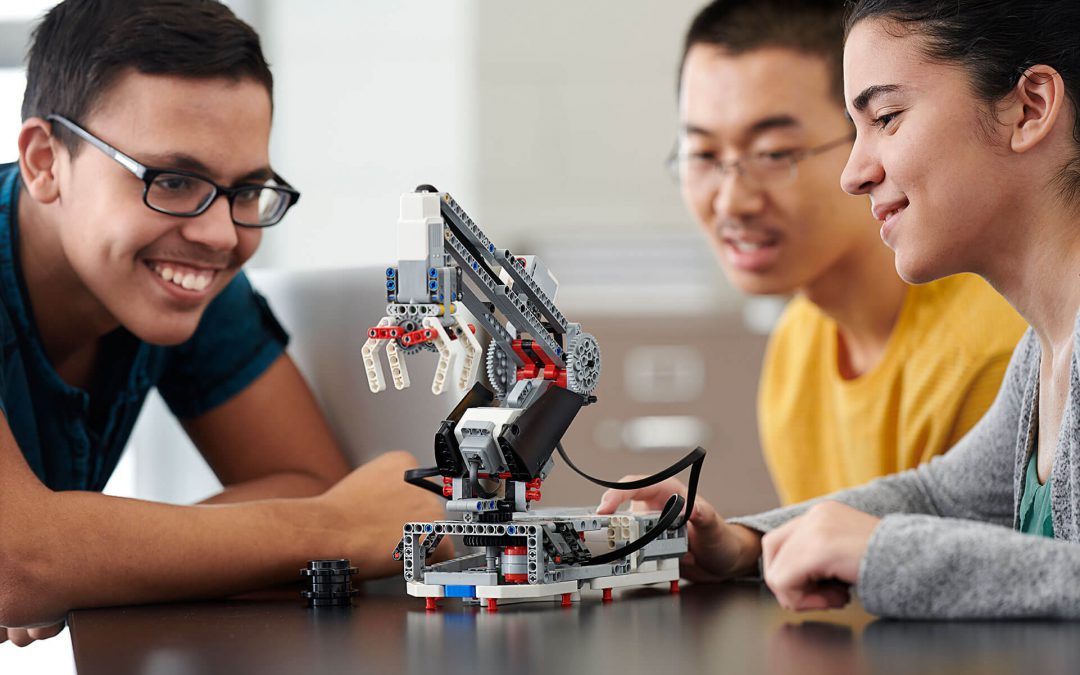
Prebujanje domišljije za znanost z LEGO® MINDSTORMS® Education
Mnenje učiteljev Navdušeni učenci – učiteljica iz Moskve Domišljija v znanosti z LEGO® MINDSTORMS® Education Ko se je učiteljica fizike Galina Yurievna Maximova zanimala za poučevanje robotike z LEGO Education rešitvami, je imela hiter postopek uvajanja. Pomagala si...
Računalniško mišljenje
Zakaj učenje s pomočjo programa LEGO Education deluje?
Temelji metodologije poučevanja z LEGO Education Metodologija poučevanja in učenja LEGO Education je bila zgrajena na temeljih konstruktivističnega načina poučevanja. Konstruktivistično metodo poučevanja in učenja je prvi predstavil in raziskal razvojni psiholog Jean...
Pomen motivacije in angažiranja za učenje
Vodilno načelo številka 1: Učenje je najbolj učinkovito, ko so učenci motivirani, to je, ko so vključeni v učenje. V objavi Zakaj učenje s pomočjo programa LEGO Education deluje? smo vam predstavili osnove metodologije dela s produkti iz programa LEGO Education....
Nasveti za učenje robotike z LEGO® WeDo 2.0
John Heffernan je prejemnik Presidential Award for Excellence in Mathematics and Science Teaching, LEAP Teacher and Pre-K – 6th grade Technology Teacher v Williamsburg, MA. Pripravil je nekaj nasvetov za poučevanje robotike za osemletnike. John pravi, da je pri...
10 dejstev o pomenu igre pri razvoju otroka
Igra ni samo zabavna stvar, ki jo počnejo otroci – je postavljanje temeljev za celoten preostanek njihovih življenj. Učenje skozi igro otrokom pomaga pri razvoju možganov v ključnih prvih nekaj letih. Uči jih komunikacije, reševanja problemov in jim pomaga pri...
Prednosti uporabe programa LEGO Education v razredu
Prednosti uporabe programa LEGO Education v razredu Sestavljanje Z združevanjem gradnikov LEGO, enostavne programske opreme in navdihujočih projektov, LEGO Education WeDo 2.0 omogoča učiteljem in njihovim učencem, da raziskujejo sestavljanje programskih blokov v...
Prebujanje domišljije za znanost z LEGO® MINDSTORMS® Education
Mnenje učiteljev Navdušeni učenci – učiteljica iz Moskve Domišljija v znanosti z LEGO® MINDSTORMS® Education Ko se je učiteljica fizike Galina Yurievna Maximova zanimala za poučevanje robotike z LEGO Education rešitvami, je imela hiter postopek uvajanja. Pomagala si...
Računalniško mišljenje
Zakaj učenje s pomočjo programa LEGO Education deluje?
Temelji metodologije poučevanja z LEGO Education Metodologija poučevanja in učenja LEGO Education je bila zgrajena na temeljih konstruktivističnega načina poučevanja. Konstruktivistično metodo poučevanja in učenja je prvi predstavil in raziskal razvojni psiholog Jean...
Pomen motivacije in angažiranja za učenje
Vodilno načelo številka 1: Učenje je najbolj učinkovito, ko so učenci motivirani, to je, ko so vključeni v učenje. V objavi Zakaj učenje s pomočjo programa LEGO Education deluje? smo vam predstavili osnove metodologije dela s produkti iz programa LEGO Education....
Nasveti za učenje robotike z LEGO® WeDo 2.0
John Heffernan je prejemnik Presidential Award for Excellence in Mathematics and Science Teaching, LEAP Teacher and Pre-K – 6th grade Technology Teacher v Williamsburg, MA. Pripravil je nekaj nasvetov za poučevanje robotike za osemletnike. John pravi, da je pri...
10 dejstev o pomenu igre pri razvoju otroka
Igra ni samo zabavna stvar, ki jo počnejo otroci – je postavljanje temeljev za celoten preostanek njihovih življenj. Učenje skozi igro otrokom pomaga pri razvoju možganov v ključnih prvih nekaj letih. Uči jih komunikacije, reševanja problemov in jim pomaga pri...
Prednosti uporabe programa LEGO Education v razredu
Prednosti uporabe programa LEGO Education v razredu Sestavljanje Z združevanjem gradnikov LEGO, enostavne programske opreme in navdihujočih projektov, LEGO Education WeDo 2.0 omogoča učiteljem in njihovim učencem, da raziskujejo sestavljanje programskih blokov v...
Prebujanje domišljije za znanost z LEGO® MINDSTORMS® Education
Mnenje učiteljev Navdušeni učenci – učiteljica iz Moskve Domišljija v znanosti z LEGO® MINDSTORMS® Education Ko se je učiteljica fizike Galina Yurievna Maximova zanimala za poučevanje robotike z LEGO Education rešitvami, je imela hiter postopek uvajanja. Pomagala si...
Računalniško mišljenje
Zakaj učenje s pomočjo programa LEGO Education deluje?
Temelji metodologije poučevanja z LEGO Education Metodologija poučevanja in učenja LEGO Education je bila zgrajena na temeljih konstruktivističnega načina poučevanja. Konstruktivistično metodo poučevanja in učenja je prvi predstavil in raziskal razvojni psiholog Jean...
Pomen motivacije in angažiranja za učenje
Vodilno načelo številka 1: Učenje je najbolj učinkovito, ko so učenci motivirani, to je, ko so vključeni v učenje. V objavi Zakaj učenje s pomočjo programa LEGO Education deluje? smo vam predstavili osnove metodologije dela s produkti iz programa LEGO Education....
Nasveti za učenje robotike z LEGO® WeDo 2.0
John Heffernan je prejemnik Presidential Award for Excellence in Mathematics and Science Teaching, LEAP Teacher and Pre-K – 6th grade Technology Teacher v Williamsburg, MA. Pripravil je nekaj nasvetov za poučevanje robotike za osemletnike. John pravi, da je pri...
10 dejstev o pomenu igre pri razvoju otroka
Igra ni samo zabavna stvar, ki jo počnejo otroci – je postavljanje temeljev za celoten preostanek njihovih življenj. Učenje skozi igro otrokom pomaga pri razvoju možganov v ključnih prvih nekaj letih. Uči jih komunikacije, reševanja problemov in jim pomaga pri...
Prednosti uporabe programa LEGO Education v razredu
Prednosti uporabe programa LEGO Education v razredu Sestavljanje Z združevanjem gradnikov LEGO, enostavne programske opreme in navdihujočih projektov, LEGO Education WeDo 2.0 omogoča učiteljem in njihovim učencem, da raziskujejo sestavljanje programskih blokov v...